AnimLab Update v1.0.4
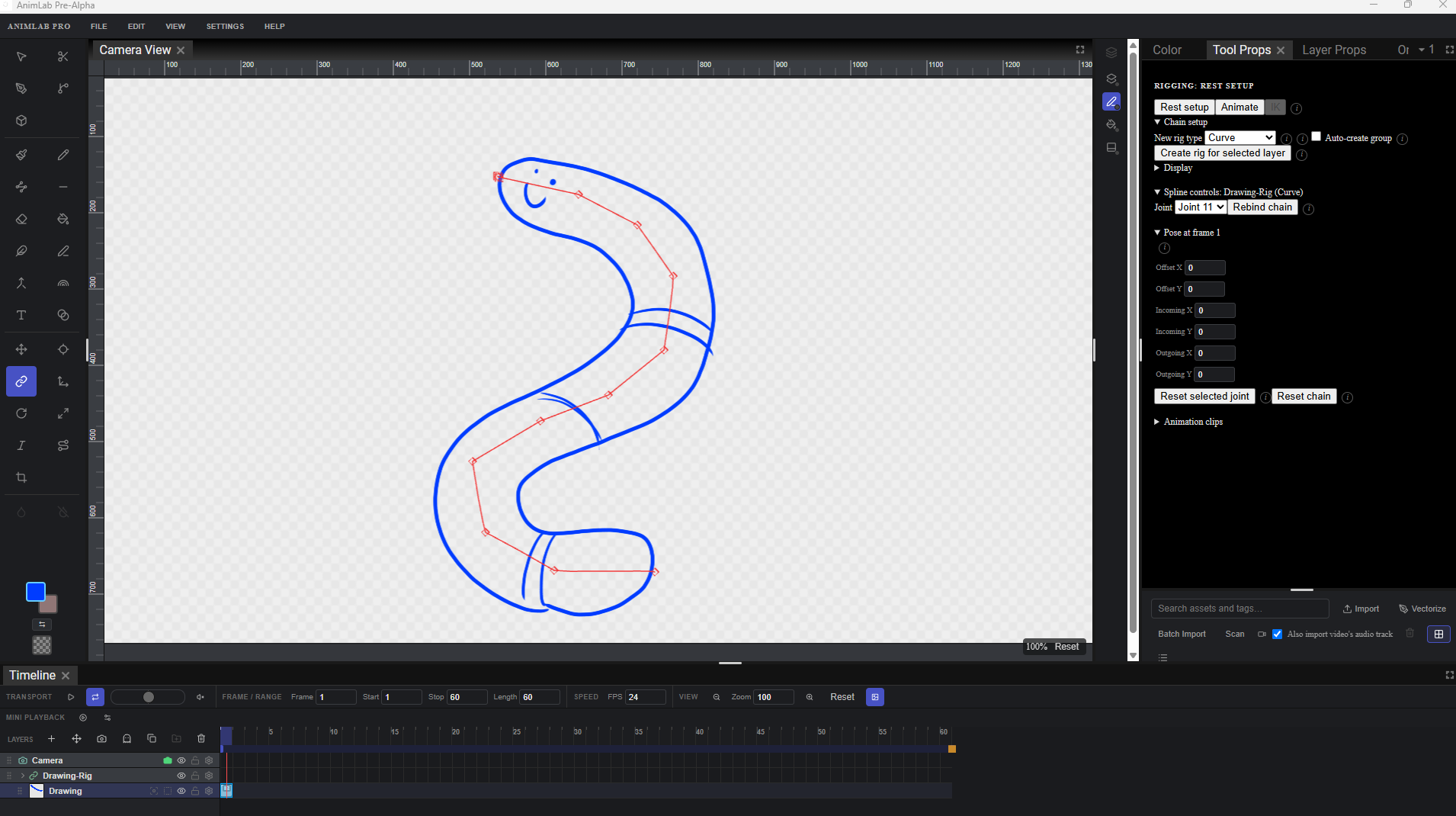
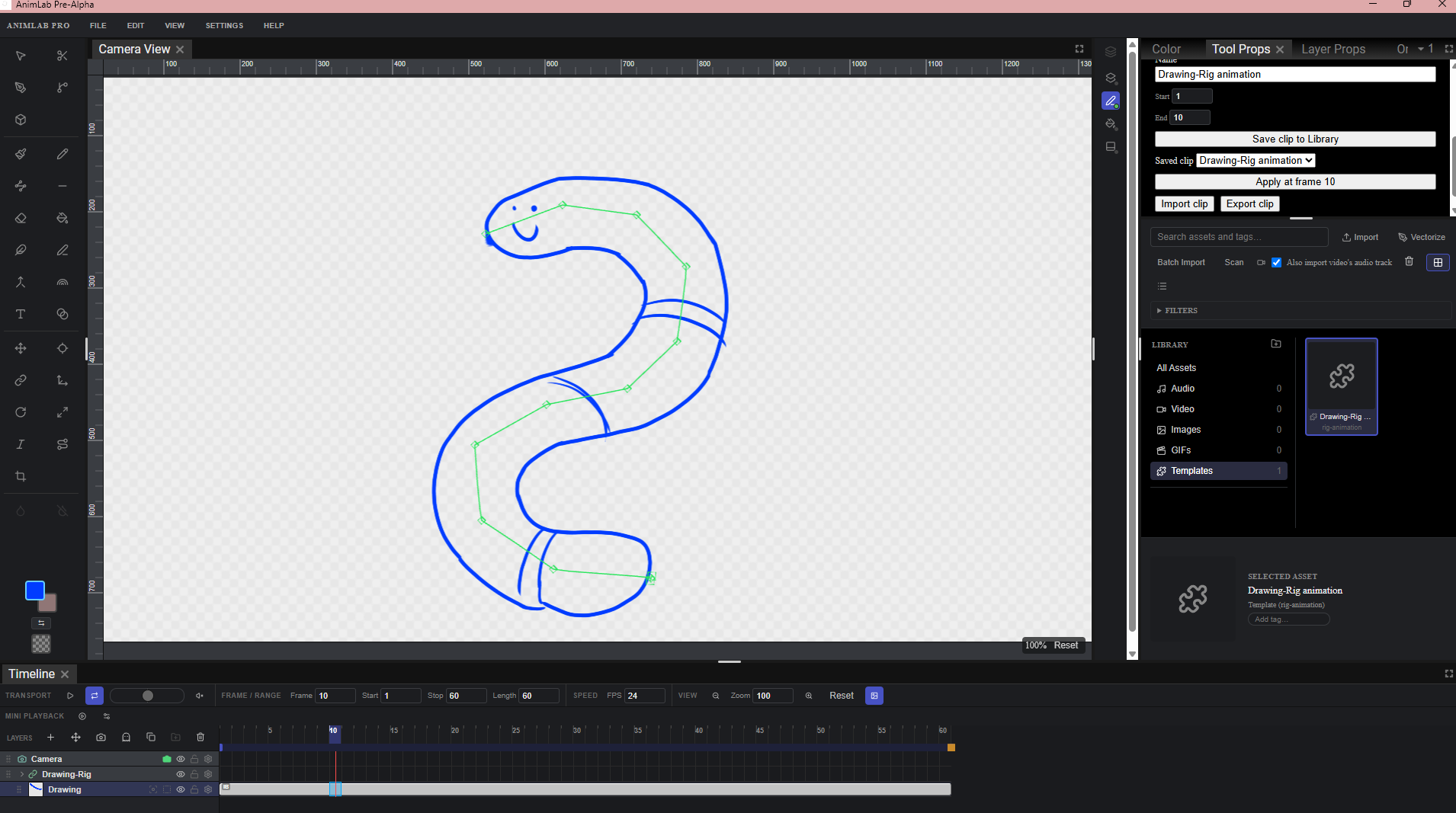
Character rigging is here!
We now have a full rigging and deformation system! You can attach Bone, Game Bone, Curve, and Envelope deformers to your drawings, bind them, and pose your characters.
Features:
- Reset a chain back to its bind pose, or copy a rest position from another chain to speed up rigging similar characters.
- Save, apply, import, and export Animation Clips so you can reuse a pose or a move across different rigs.
- Early IK support: pin a joint in place and drag the rest of the chain to follow it.
- Dedicated Rigging tool: choose which manipulators or regions of influence are visible, auto-create a group for a new chain, and an Automatic mode that figures out whether you want a straight bone or a curve based on how you draw it.
- You can attach a second bone chain to an existing joint (for example, giving a pelvis two independent leg chains). Posing the shared joint moves everything attached to it. This is early. Creating the extra branch from the canvas is still being smoothed out, and undo on a freshly attached branch has a known rough edge we're tracking down.
New tools for reshaping/drawing precise shapes
New Contour Editor and Centerline Editor
Reshape any stroke after you've drawn it by dragging its control points and curve handles. A Smooth Selection tool cleans up extra points, with an adjustable smoothness setting.
New Perspective tool
Drag the corners of a shape to warp it, with a choice between realistic vanishing-point perspective or a simpler four-corner stretch. Line thickness tapers naturally toward the far end in perspective mode.
New Polyline tool
Click to place points and build a shape by hand, using the same curve system as regular strokes so you can reshape anything afterward.
New Shape tools
Line, Rectangle, and Ellipse, for dragging out precise geometric shapes, grouped into one toolbar button you can right-click to switch between.
Smoother, reliable video playback
- Long video clips now play back smoothly. Fixed a bug where overlapping frame requests could grab and permanently show the wrong frame, and upgraded an image-conversion step that slowed down every frame.
- Long videos start streaming right away instead of waiting to load the whole file first.
- A loading indicator now appears while scrubbing to a new spot in a long video.
- Video now decodes continuously during playback instead of jumping frame by frame, removing stutter. A remaining rare flicker was fixed.
Audio now works properly
- Importing a video with sound automatically pulls out and imports its audio track too, as a separate audio clip on the timeline.
- Fixed several real bugs that made imported audio silent, show a 0:00 length, or fail to play at all, and a bug where audio could fall out of sync with the video on loop or scrub.
- Audio clips can now be dragged to reposition them on the timeline.
Group-level compositing and effects
- Layer groups can now be flagged as a single combined unit ("Group Composite"), so everything inside blends with the rest of the scene as one seamless result instead of causing visible double-darkening or double-brightening where layers overlap.
- Groups can have their own Drop Shadow and Glow effects applied to the whole group at once (these are very basic, many more to come and expanded on).
Cancel
- Hitting Escape mid-stroke on the Eraser, Perspective, and Contour/Centerline Editor tools now reverts your drawing to how it looked before you started.
Painting and drawing fixes
- Fill Bucket and Auto Fill now correctly fill only the enclosed area, with clean edges instead of jagged or gapped ones.
- The Eraser now properly defaults to fully erasing a stroke.
- Fixed a bug where editing a textured brush stroke's shape and switching to a different stroke could make the first one disappear.
- Reshaping tools show a live preview while you drag.
- Stroke smoothing no longer creates a visible kink when closing a small shape.
Android
- New, installable Android builds with proper tablet support. Touch-sized controls, a persistent brush size and opacity control on the canvas edge, and safe-area handling for notches and gesture bars.
- Pick a folder on your device as your workspace, with everything saved directly into it. No hidden app-only storage.
- Video and audio playback and media import work fully on Android.
- High-quality video export on Android: your movies encode smartly with the device's own hardware.
Interface Polish
- The toolbar is more compact, with several confusing icons replaced with clearer ones.
- Tools and their options have clear, helpful tooltips.
- A new Node Graph panel (opens from the View menu) previews the upcoming visual node-based compositing system.
Under the hood
- macOS builds now support native scanner import using the system's own Image Capture framework.
- The Help system has been updated to cover every new tool added since the last update, including rigging.
Files
Get AnimLab
AnimLab
FREE premiere animation software suite
More posts
- AnimLab Update v1.0.322 days ago
- AnimLab Update v1.0.229 days ago
Leave a comment
Log in with itch.io to leave a comment.